



Finding the best PC games for low specs doesn’t mean you have to sacrifice fun, graphics, or gameplay quality. Even if you’re using an older laptop or a weak computer, there are hundreds of amazing games that run smoothly on minimal hardware. The key is knowing which titles are optimized for low system requirements while still delivering engaging stories, solid mechanics, and great replay value.
Table Of Content
- What Defines a “Low-Spec” Game in 2026?
- Key Hardware Limits: CPU, RAM, and Integrated Graphics
- How to Check if a Game Will Run on Your Machine
- The Role of Artistic Style Over Graphical Power
- Top Genres That Perform Well on Low-End Hardware
- Indie & 2D Platformers: Timeless Gameplay, Minimal Demands
- Classic RPGs and Modern Retro-Styled Adventures
- Question-Answer
- My laptop only has 4GB of RAM and integrated graphics. Are there any genuinely good games from the last few years I can play?
- What are the best free-to-play games for a slow computer that aren’t pay-to-win?
- Can you recommend some slow-computer games that are good for short play sessions?
- I love deep story games, but my PC can’t handle modern 3D graphics. What are my options?
- How low can specs go? What are the best games for very old computers, like from the early 2000s?
In this guide, we’ve collected the top low-end PC games that offer high performance, fast loading, and stable FPS on budget or outdated systems. Whether you love action, strategy, RPGs, or indie gems, these games prove that powerful gaming experiences don’t always require powerful hardware.

If your system struggles with modern releases, start with Stardew Valley. This indie farming simulator is exceptionally lightweight, running seamlessly on integrated graphics from a decade ago. Its enduring appeal lies not in visual fidelity but in deep, rewarding gameplay that demands minimal hardware investment, proving that a constrained budget is no barrier to hundreds of hours of engagement.

Strategic and management retro revivals offer another avenue. Titles like Into the Breach or FTL: Faster Than Light deliver immense complexity through elegant, low-polygon presentation. Their system requirements are negligible, yet the tactical depth is vast. For a modern experience with a classic feel, Hades showcases how brilliant art direction and tight design can achieve stunning performance on older machines, often without needing to touch advanced settings.


Technical optimization is key for accessing newer genres. Counter-Strike 2, while demanding by comparison, can be tuned extensively; lowering resolution scaling and shadow detail can yield playable frame rates on dual-core CPUs. Similarly, Valorant is engineered with scalability in mind, its clean visual style allowing for high frame rates that benefit competitive play, even on modest setups where every graphical adjustment directly impacts responsiveness.
The realm of indie and classic games is your strongest ally. Masterpieces like Terraria, Undertale, or the Portal series remain benchmark titles for limited systems. Exploring digital storefronts with filters for “low-spec” or “2D” will uncover countless gems designed with hardware constraints as a core principle, not an afterthought, ensuring a smooth experience without the need for component upgrades.


What Defines a “Low-Spec” Game in 2026?
A title qualifies as a strong candidate for modest hardware if it runs smoothly on a system with integrated graphics (like Intel UHD or older Radeon Vega) and a CPU from the last 8-10 years, targeting a consistent 30-60 FPS at 720p or 1080p.
The core definition hinges on three technical pillars:
- Minimal Hardware Demands: Target systems often have 4-8GB RAM, lack a dedicated GPU, and use dual or quad-core processors. The “potato” PC label applies to machines that comfortably run these titles.
- Deep Graphical Scalability: A robust settings menu with options to drastically reduce shadow quality, draw distance, texture resolution, and post-processing effects is non-negotiable for fine-tuning performance.
- Inherent Engine Efficiency: True lightweight software is built on well-optimizationed engines (like older versions of Unity, GameMaker, or custom retro-inspired frameworks) that deliver a cohesive experience without wasteful resource consumption.
Beyond raw specs, the genre and development philosophy are key indicators. The vast majority of titles fitting this profile are indie productions or modern takes on retro aesthetics. These projects prioritize art style and gameplay over graphical fidelity, using pixel art, low-poly 3D, or cel-shading to create a distinct visual identity that is inherently less demanding. This focus makes them ideal for the budget-conscious player.
Look for these practical benchmarks when evaluating a release:
- Can it run on Intel HD Graphics 4000/5000 or equivalent?
- Does it require an SSD, or is a traditional HDD sufficient?
- Are the minimum CPU requirements a dual-core model from the early 2010s (e.g., Intel Core 2 Duo era)?
- Is the install size under 10GB, often even under 4GB?
Ultimately, a 2024 low-spec champion is defined not by what it lacks, but by its intelligent design that ensures accessibility and stable performance on legacy hardware without sacrificing a compelling player experience.
Key Hardware Limits: CPU, RAM, and Integrated Graphics
Focus your optimization efforts first on the CPU and RAM; these components are the primary bottlenecks for a budget system. A dual-core processor from the last decade, like an Intel Core i3-6100 or AMD A8 series, paired with 8GB of DDR3 RAM, forms a typical baseline. While 4GB is the absolute minimum, modern titles and even many indie releases will stutter, making 8GB a crucial upgrade for stable performance.
Modern integrated graphics (iGPUs), such as Intel UHD Graphics 600-series or AMD Radeon Vega units, are surprisingly capable. They can handle 2D retro-style titles and lighter 3D experiences at 720p or 1080p with careful settings adjustments. The key is to target 30 FPS, not 60, and systematically lower shadows, anti-aliasing, and view distance in every title’s graphics menu.
For a true potato PC with older hardware, your library will be defined by engine limitations. Prioritize games built on lightweight engines (like those for classic isometric RPGs or early 2000s shooters) or modern titles with exceptionally scalable graphics, such as pixel-art indies or esports-focused releases. Disable all post-processing effects like motion blur and depth of field, as these are performance killers on iGPUs.
Finally, manage background processes rigorously. Every megabyte of free RAM is critical. Close browsers and other applications before launching a session. This simple step can prevent the hardware from being overwhelmed, turning an unplayable slideshow into a smooth experience for a carefully curated collection of well-optimization software.
How to Check if a Game Will Run on Your Machine
Start by finding the game’s official system requirements on its store page (Steam, GOG, Epic) or the developer’s website. You need two key data points: “Minimum” and “Recommended” specifications.
Next, identify your own hardware details. Press Windows Key + R, type “dxdiag”, and note your Processor (CPU) speed, Memory (RAM), and Display tab’s Chip Type (your Graphics). For integrated graphics like Intel UHD, note the exact model.
Use the free tool “Can You Run It” (systemrequirementslab.com/cyri). It automatically scans your PC and compares it against a vast database of titles, giving a clear pass/fail assessment for minimum and recommended specs.
For manual comparison, follow this priority checklist:
- CPU: Compare model generation and speed (GHz). A dual-core is often the absolute baseline for modern lightweight titles.
- RAM: Ensure you meet the minimum GB. Having 2-4GB above the minimum drastically improves stability.
- Graphics: This is most critical. Integrated graphics (Intel UHD, older AMD Radeon R-series) must be checked against specific model numbers. A dedicated GPU (even an old GTX 750 Ti) often outperforms integrated solutions.
- Storage: Verify you have enough free space for the installation files.
If your system is borderline, investigate community optimization. Visit the game’s PCGamingWiki page or subreddit for tweaks. Key searches include “[Game Name] potato settings” or “low config file tweaks”.
Look for specific gameplay videos on YouTube with titles like “Intel HD 620 Gameplay [Game Name] Low Settings”. This shows real-world performance on similar hardware.
Consider the game’s genre and era. Titles from the 2010s or designed with a retro aesthetic are more likely to run. Modern 2D pixel-art or turn-based games often have lower demands than real-time 3D worlds.
Finally, utilize store refund policies. Platforms like Steam offer refunds for games played under two hours, allowing you to test actual performance after applying the lowest graphical settings. This is the most reliable test for your specific configuration.
The Role of Artistic Style Over Graphical Power
Prioritize titles with a distinct visual identity, such as Hades or Cuphead, which leverage hand-drawn art to deliver stunning experiences without taxing your hardware. A cohesive retro pixel-art or cel-shaded aesthetic often requires less raw graphical performance than 3D realism, allowing for smoother gameplay on integrated graphics.

This design philosophy is a cornerstone of many indie projects and deliberate optimization. Games like Dead Cells or Stardew Valley use their style as a budget-friendly engine, ensuring stability across decades-old systems. Their visual clarity remains uncompromised even on the lowest settings, proving that artistic vision can trump technical demands.
Seek out lightweight engines that render stylized worlds efficiently. Titles such as Undertale or Loop Hero demonstrate that systemic depth and narrative impact are independent of polygon count. This approach future-proofs the experience, guaranteeing it will run on tomorrow’s modest machines as well as today’s.


Top Genres That Perform Well on Low-End Hardware
Target 2D and pixel-art indie titles, as their visual complexity is deliberately constrained, placing minimal strain on integrated graphics. The retro revival genre is a powerhouse for budget systems, with modern entries in classic styles like turn-based RPGs, Metroidvanias, and point-and-click adventures offering deep gameplay without demanding hardware.
Strategy genres, particularly turn-based and older real-time titles, excel due to their focus on logic over real-time rendering. Managing a kingdom or commanding a squad in a title from the early 2010s often requires more CPU thought than GPU power, especially after lowering shadow and effect settings.
Roguelikes and dungeon crawlers, frequently built on lightweight engines, are engineered for smooth performance. Their procedural generation and often simple, tile-based or abstract art styles ensure consistent frame rates, making them ideal for a true potato PC. Community-driven optimization patches for classic titles in this genre can further enhance stability.
Simulation and management software, from city builders to farming sims, often scales gracefully. While late-game complexity can challenge the CPU, careful adjustment of simulation speed and view distance settings can maintain playability on older processors. Many indie-developed simulations prioritize clever systems over graphical fidelity.
Finally, the realm of classic first-person shooters and their modern “boomer shooter” spiritual successors is surprisingly accessible. Titles using older or streamlined engines, with distance detail and particle effects dialed down, can run at high frame rates, proving that aggressive optimization and a strong artistic direction trump raw graphical power for a satisfying experience on limited hardware.
Indie & 2D Platformers: Timeless Gameplay, Minimal Demands
Start with Celeste, a precision platformer requiring only 512MB VRAM and a dual-core processor from 2008. Its pixel-art aesthetic delivers a challenging, emotionally resonant experience that modern AAA titles struggle to match on aging hardware.

The 2D perspective inherently reduces computational load. Scenes render in two dimensions, eliminating the intensive 3D geometry calculations and complex lighting that strain integrated graphics. This design philosophy allows developers to focus on tight controls, inventive mechanics, and rich audiovisual style.
| Title | Key Feature | Approximate Size |
|---|---|---|
| Hollow Knight | Metroidvania exploration | 9 GB |
| Shovel Knight: Treasure Trove | 8-bit retro homage | 500 MB |
| Dead Cells | Roguelike action | 1 GB |
| Katana ZERO | One-hit-kill combat | 500 MB |


These titles often utilize a retro-inspired aesthetic not just for nostalgia, but as a practical choice. Pixel art and low-poly 2D assets have tiny file sizes and place minimal demands on both GPU and storage. This enables expansive worlds and smooth performance on decade-old hardware where newer engines fail.
Beyond retro visuals, the genre excels in mechanical depth. Hollow Knight offers a vast, interconnected world under 10GB, while Dead Cells provides infinitely replayable runs with sub-second load times on an HDD. The focus is on player skill and discovery, not graphical fidelity.


For guaranteed performance, target engines like GameMaker Studio or custom frameworks optimized for 2D. These platforms ensure frame-perfect input response and stability, making them ideal for machines where every CPU cycle counts. Community patches and scalable resolution options further enhance compatibility.
Classic RPGs and Modern Retro-Styled Adventures
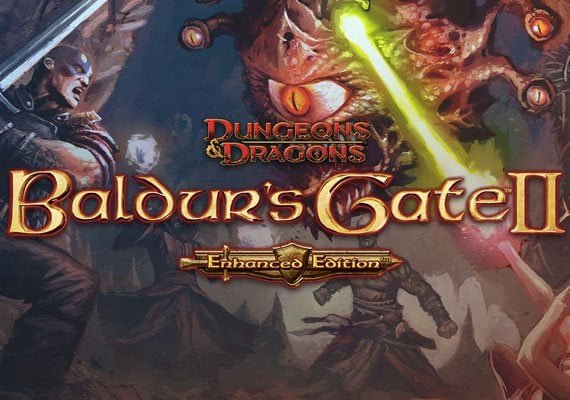
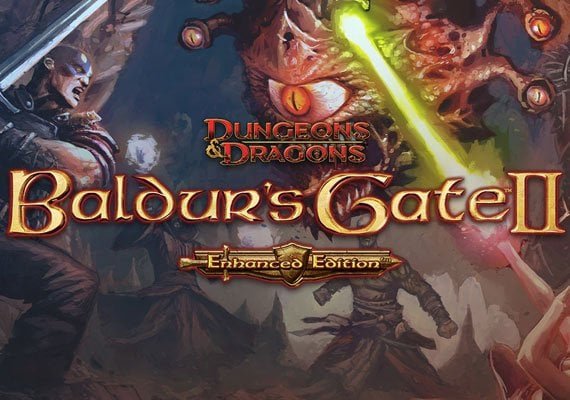
Dive into the world of Baldur’s Gate: Enhanced Edition, a masterclass in isometric role-playing that runs on virtually any integrated GPU from the last 15 years, requiring only a 1GHz processor and 512MB RAM. Its real-time-with-pause combat and deep narrative set a benchmark for the genre.
Modern developers leverage pixel-art and efficient engines to create expansive worlds. Stardew Valley is a prime example, with its lightweight construction demanding only a 2GHz CPU, 2GB RAM, and 256MB of video memory, proving that farming simulation and social RPG mechanics have massive, enduring appeal.
For a party-based tactical experience, Shadowrun: Dragonfall – Director’s Cut delivers a compelling cyberpunk-fantasy narrative. Its engine is optimized for modest setups, typically needing a dual-core processor, 2GB of system memory, and DirectX 9 compatibility, making complex turn-based combat accessible.

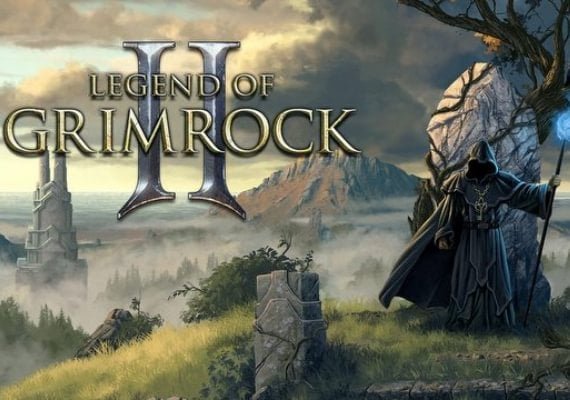
The resurgence of classic dungeon crawling is evident in titles like Legend of Grimrock 2. This grid-based, first-person RPG uses a clean, textured visual style that is easy on hardware while offering deep environmental puzzles and real-time combat, often performing smoothly on Intel HD Graphics 4000.
Explore the narrative-driven Disco Elysium – The Final Cut. While more demanding than pure retro titles, its isometric, painterly style is far less taxing than 3D AAA games. It can operate on older dual-core CPUs and integrated graphics, prioritizing unparalleled writing and skill-check systems over graphical intensity.

True retro-inspired adventures like Undertale and its successor Deltarune demonstrate how minimalist aesthetics can support powerful storytelling and innovative combat. These chapters require negligible resources, often running on decade-old office machines without issue, focusing player engagement on choice and consequence.
Emulators for classic consoles (like SNES, PS1) also provide a vast library of legendary JRPGs such as Chrono Trigger or Final Fantasy VI. These emulation packages are highly optimized software, allowing authentic experiences on the most limited contemporary systems with minimal CPU overhead.
Question-Answer:
My laptop only has 4GB of RAM and integrated graphics. Are there any genuinely good games from the last few years I can play?
Absolutely. Many developers still create excellent games with modest hardware in mind. A standout recent title is “Loop Hero” (2021). It combines deck-building, strategy, and RPG elements in a clever, auto-battling format. Its retro pixel art style is part of its charm and is very easy to run. Another great choice is “Vampire Survivors” (2022). Its simple graphics hide an incredibly addictive gameplay loop of collecting weapons and surviving hordes of monsters. Both games will run smoothly on your system and offer dozens of hours of engaging content.

What are the best free-to-play games for a slow computer that aren’t pay-to-win?
Several free games are both kind to hardware and fair to players. “Team Fortress 2” remains a classic. This team-based shooter has a unique art style and deep gameplay, and it runs on almost anything made in the last decade. For a strategy option, “Dota 2” is demanding in skill but not necessarily in graphics; you can adjust its settings to run on older PCs. Its monetization is purely for cosmetic items, so paying players gain no competitive edge. “Genshin Impact” is also surprisingly scalable. While it looks stunning on high-end gear, you can lower the resolution and settings to achieve playable frame rates on many integrated graphics chips, and its core adventure is completely free.
Can you recommend some slow-computer games that are good for short play sessions?
Games designed for quick sessions are perfect for lower-spec machines. “Into the Breach” is a turn-based strategy game where each mission is a compact puzzle of mech combat. You can complete a run in under an hour. “Dorfromantik” is a peaceful tile-placement game where you build a countryside. There’s no time pressure, and you can stop anytime. For something faster-paced, “Downwell” is a superb roguelike about descending a well. Each attempt lasts only a few minutes, but its tight controls make it incredibly replayable. All three have minimal system requirements.


I love deep story games, but my PC can’t handle modern 3D graphics. What are my options?
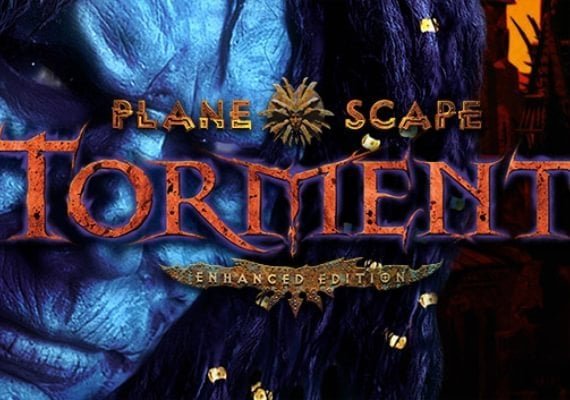
Some of the most celebrated narratives in gaming don’t require powerful hardware. The “Disco Elysium” experience is almost entirely in the writing and your choices. Its isometric view and painted art style are beautiful but not graphically intensive. The classic “Planescape: Torment” remains a masterpiece of writing and can run on any modern PC. For a more modern point-and-click style, “Pentiment” is a narrative adventure set in 16th-century Bavaria, with a striking art style inspired on illuminated manuscripts. These games prove that graphical fidelity is separate from storytelling quality.
How low can specs go? What are the best games for very old computers, like from the early 2000s?
If you have a machine from that era, or a modern one that’s equally limited, a wealth of timeless titles exists. The original “Half-Life” and “Half-Life 2” are landmark FPS games that will run on almost anything now. For strategy, “StarCraft: Brood War” and “Age of Empires II” are endlessly deep. In the RPG genre, “Fallout 2” and “Baldur’s Gate II” offer hundreds of hours of content. These games defined their genres and their low system requirements by today’s standards make them accessible on any budget or old hardware you might have.